-

Visit Us
Find Your Nearest Store

Visit Us
Find Your Nearest Store
Before you book a repair or buy a fourth cable, a ten-minute elimination test can tell you exactly where the problem sits.
You plug your phone in and nothing happens. Or it charges for a minute, drops out, then starts again. Or you've learned to hold the cable at a certain angle, like some kind of daily ritual. It's frustrating, and it's easy to assume the battery is dead.
At Case Indulgence, charging faults are among the most common things that come through our QLD and NSW stores, and the good news is that a lot of them turn out to be the cheapest explanation: a worn cable, a dusty port, or a tired adapter. This guide helps you work through the possibilities in the right order, so you only spend money on the real culprit.
Charging is a chain of five links: the power point, the adapter, the cable, the charging port on the phone, and the battery with its charging circuit. If any one of them fails, the whole chain stops.
That's good news for troubleshooting, because it means you can test the links one at a time. Most of them you can swap for something you already own, and only the last two need a technician.
| What's Happening | Most Likely Culprit | What to Do |
|---|---|---|
| Nothing happens with any cable you try | Dirty or damaged port, or a fully flat battery | Clean the port, then leave it on a working charger for a while |
| Works only at a certain angle, or you have to hold the cable | Debris in the port, or a worn or loose port | Clean the port. If it persists, the port needs repair |
| Charges with one cable but not another | Worn or low-quality cable | Replace the cable |
| Charges slowly, or the percentage barely moves | Weak adapter or power source, or a worn battery | Try a stronger adapter, then check battery health |
| Starts then keeps stopping | Loose connection, moisture in the port, or a software glitch | Check the port, restart, and update |
| Wireless charging fails but cable charging works | Thick case, misalignment, or a cracked back glass | Remove the case and re-seat the phone |
| Phone gets hot while charging | Faulty adapter or battery | Unplug it and have it checked |
| Back bulging or screen lifting | Swollen battery | Stop charging it and bring it in urgently |
Ranked by how often each one turns out to be the actual problem.
Cables fail more often than phones. Bending at the plug, tugging, and years of coiling eventually break the thin wires inside, even when the outside looks fine. A cable that charges one phone but not yours is usually still faulty, because it may be connecting just well enough for other devices.
Pockets and bags pack lint into the port, bit by bit, until the plug can't seat fully. It's one of the most common reasons a phone suddenly stops charging, and it's fixable in a couple of minutes. We cover how below, and Tom's Guide has a good walkthrough on cleaning a port without damaging it.
An old or low-powered adapter, or a computer's USB port, may not supply enough power to charge a modern phone, especially while it's in use. Swapping to a proper wall adapter is a quick way to rule this out.
Years of plugging in loosen the port's internal contacts and solder joints. Typical signs are a cable that wobbles, doesn't click in firmly, or only works when held at an angle. Cleaning won't fix it, since the port itself needs replacing. AppleInsider's troubleshooting guide makes the same point: if a clean-out doesn't help, the problem is likely hardware.
Some phones stop charging on purpose when they detect moisture in the connector, as a safety measure. If your phone has been near water, don't keep forcing a charge. Our guide to the first 30 minutes after water exposure explains what to do instead.
This is the least common cause, but it's the one that needs a technician. A battery can be so degraded it won't accept a charge properly, or the charging chip on the main board can fail. Our guide on the battery health number that matters shows how to tell when it's the battery.
Work through these in order and stop as soon as it charges. Each step rules out one link in the chain.
Use a wall adapter you know works for another device, plugged into a different socket. This rules out the first two links straight away.
Use a cable you've seen charge another phone successfully. Then do the test in reverse: plug your own cable into someone else's phone. If your cable fails there, it's the cable.
A force restart can clear a software glitch that stops the phone recognising the charger.
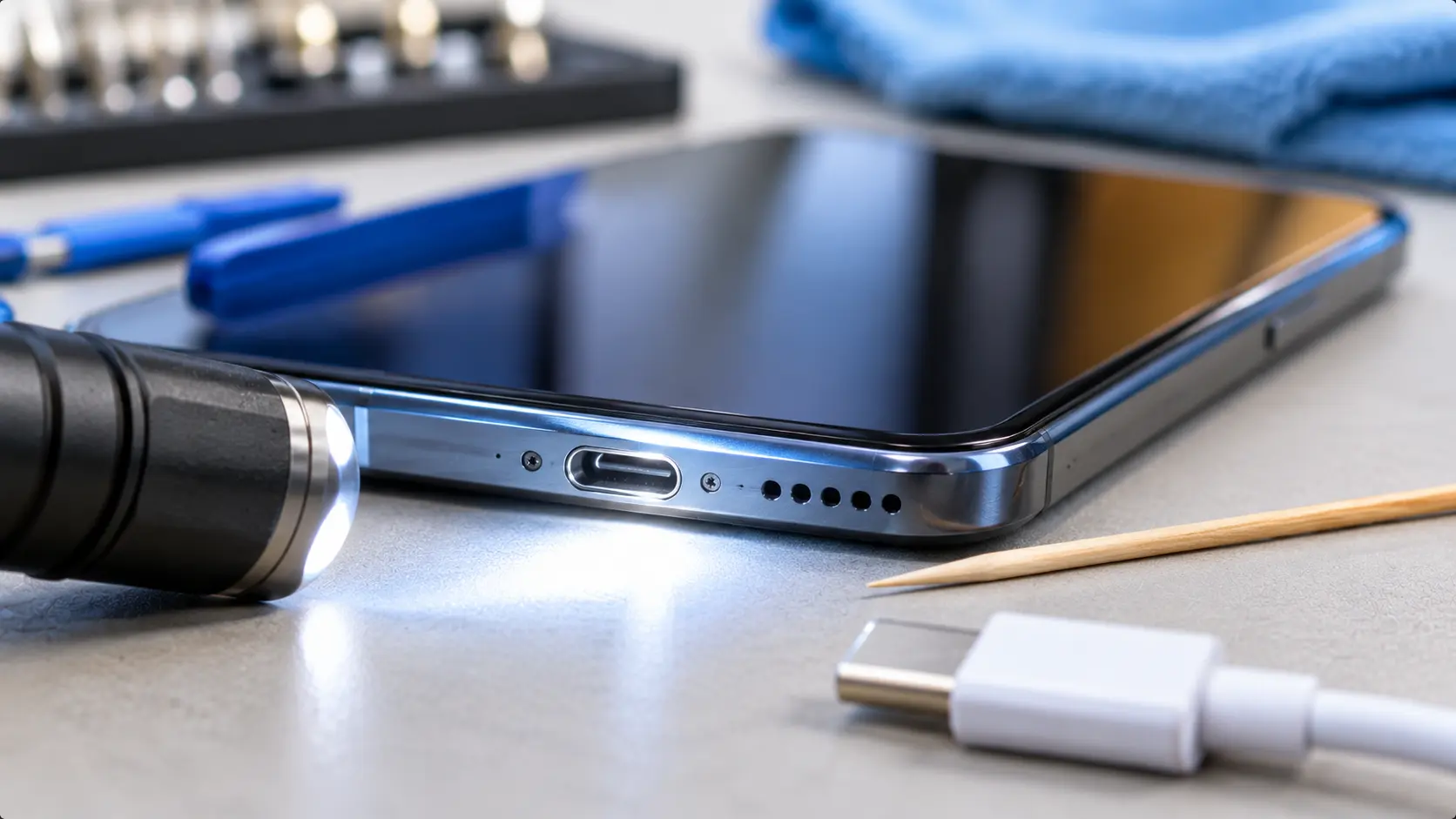
Power the phone off. Shine a torch into the port and look for lint or grit. If you see any, loosen it gently with a wooden toothpick or a soft plastic tool, and never use metal, because it can bend the contacts or short them out. Keep it dry, and don't use liquids or blow into the port.
A bulky case can stop a plug seating properly, and a thick case blocks wireless charging.
A completely flat battery can take several minutes on a good charger before the screen shows any sign of life, so give it time before concluding it's dead.
If you can get the phone on, install any pending update in case a charging bug has been fixed.
If the phone still won't charge after all seven, and you've proved the cable and adapter work elsewhere, the fault is in the phone, and it's time for a proper look.
Most of the time it's a straightforward job, and which repair you need depends on what the test pointed to.
We test with known-good cables and adapters, check the port under magnification, and read the battery's condition, so we're not guessing.
A professional clean removes compacted lint that's out of reach at home, and it's often all that's needed.
On most phones the port sits on a small flex assembly that's replaced as a unit, which is a much smaller job than a screen repair.
If the battery is too degraded to take a proper charge, a new one restores normal charging and battery life.
We check wired charging, speed, and where the phone supports it, wireless charging too.
| Option | Best When | Trade-off |
|---|---|---|
| Clean it or swap the cable | The test points to the cable, adapter, or lint | Almost none, and it's the first thing to try |
| Use wireless charging for now | The port is worn, the phone supports wireless charging, and you can't repair it yet | Slower, and you should avoid a cracked back glass |
| Replace the charging port or battery | The fault is in the phone, and the phone is otherwise healthy | A repair cost, usually well below a new phone |
| Replace the phone | The main board's charging circuit has failed, or other faults are stacking up | Much higher cost, plus moving your data |
The same maths applies as with any repair: compare the quote with what the phone is worth. Our guide on when a repair isn't worth it covers the 60% rule of thumb. If you're also noticing the battery draining quickly, our guide to why phone batteries drain so fast ranks the real causes.
If wiggling makes it charge, the port or cable is on its way out. Constant wiggling speeds up the wear, and eventually it stops working at any angle.
Metal tools can bend the contacts or short the port. A wooden toothpick or a soft plastic tool is far safer, and you should always power the phone off first.
Poor-quality cables and adapters can charge slowly, overheat, or wear out the port faster. If you keep going through cables, the cable quality may be part of the problem.
A flat battery, a lint-packed port, or a dead cable looks identical on the screen. Rule out the cheap causes before blaming the battery.
An intermittent connection that heats up or keeps cutting in and out isn't worth leaving unattended. Get it sorted rather than hoping it holds.
The most common causes are a worn cable, lint in the charging port, or a weak adapter. Try a different cable and adapter first, then inspect and gently clean the port with a non-metal tool.
Swap the cable and adapter for ones you know work on another device. If it still won't charge, the fault is in the phone, and a clean port or a technician's test will separate the port from the battery.
Yes. Compacted lint can stop the plug seating fully, which breaks the connection. Power the phone off and clear it gently with a wooden toothpick or soft plastic tool, never metal.
That usually means debris in the port or a worn charging port that's lost its grip on the plug. Clean it first, and if it persists the port itself needs repairing.
A weak adapter, a computer USB port, or a worn cable is the usual cause. If those check out, a degraded battery or a failing charging circuit may be responsible, which a technician can test.
Usually yes. A charging port or battery replacement is typically one of the more affordable repairs, and it costs far less than replacing the phone. It's less worthwhile if the main board's charging circuit has failed or there are several other faults.
Guessing between a cable, a port, and a battery can cost you three purchases before you hit the right one. A device assessment tests each link properly, and gives you a straight recommendation, even if the answer turns out to be a cheap cable.

Our skilled technicians are dedicated to restoring your devices to their optimal functionality.


© 2026 CaseIndulgence. All Rights Reserved